AI search
AI Citation Tracking Tools Compared: What Each Measures
AI citation tracking tools come in two kinds: free first-party reports (Google Search Console, Bing Webmaster Tools) that log real citations, and paid trackers that sample prompts across ChatGPT, Gemini, Perplexity and more.
By SEORecheck Research Team, SEO auditorsPublished 9 min read
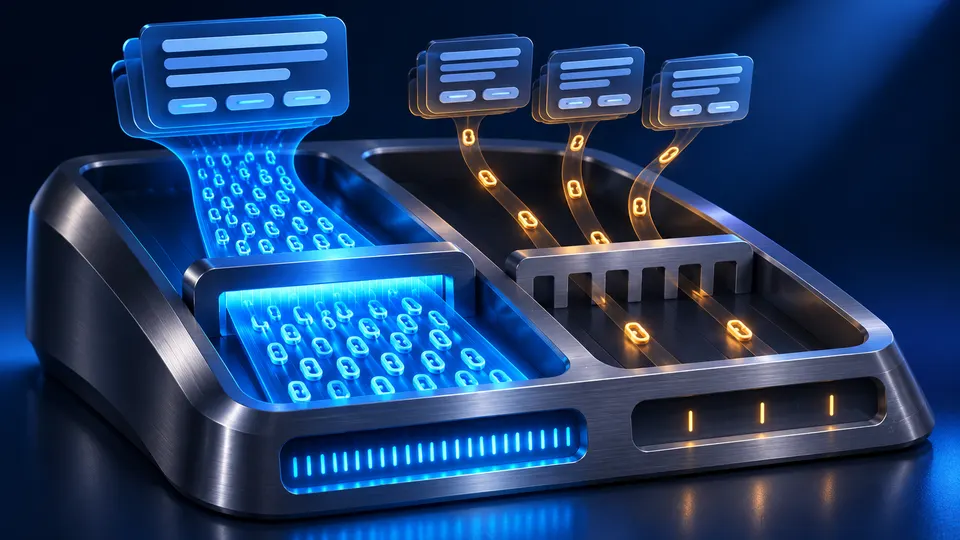
AI citation tracking tools show whether AI answer engines cite your pages as sources, and how often. They come in two kinds. Free first-party reports from Google Search Console and Bing Webmaster Tools are built from real citations on those platforms. Paid third-party trackers run a fixed set of prompts through ChatGPT, Gemini, Perplexity and other assistants and record which sources come back.
The two kinds measure different things. A first-party report counts real appearances but only covers one company's surfaces. A prompt tracker covers many assistants but only sees the prompts you give it. This guide compares both groups using the vendors' own documentation and pricing pages (all checked in November 2026) and explains how to pick a setup that fits a small or mid-size business.
What do AI citation tracking tools actually measure?
Most tools measure one or more of these: citations (your URL is linked as a source), mentions (your brand name appears in the answer text), share of voice (your citations or mentions compared with competitors), and impressions (how often your link was shown). Check which metric a tool reports before you compare numbers between tools.
The difference matters. A tool that counts mentions may report good visibility even when the answer links only to a competitor's review page. A tool that counts citations will miss answers that recommend you by name without linking to you. And a first-party impressions count says nothing about the questions that triggered the answer.
There's also a sampling question. First-party reports record what actually happened on the platform. Third-party trackers send prompts (usually daily or weekly) and log the answers they get back. That's a sample, and AI answers vary with wording, location, personalization and time. So treat the numbers from a prompt tracker as a trend line, not a census. For the wider measurement picture, see SEO vs GEO performance measurement.
Which free first-party reports track AI citations?
Two free reports log real AI appearances: Google Search Console's Generative AI performance report (AI Overviews and AI Mode) and Bing Webmaster Tools' AI Performance report (Copilot and Bing's AI summaries). Start with these. They cost nothing, and they are the only sources built from the platforms' own data instead of from sampled prompts.
Google Search Console: Generative AI performance report
According to Google's Search Console Help page, the report covers AI Overviews and AI Mode on Google Search, and Search Labs experiments are excluded. Its metric is impressions, meaning how many times links to your site were shown to a user in a generative AI feature. You can group the data by page, country, date and device. The usual 1,000-row limit applies, and the newest data can be preliminary.
What it doesn't give you: clicks, the queries behind each impression, or any comparison with competitors. Google also notes that a site may not see the report at all if it hasn't received enough impressions in these features. Discover has its own, separate report.
Bing Webmaster Tools: AI Performance
Microsoft's public preview announcement says the dashboard covers citations across Microsoft Copilot, AI-generated summaries in Bing and select partner integrations. It reports total citations, average cited pages, page-level citation counts, trends over time and grounding queries, which are the phrases the AI used when it retrieved your content. Microsoft adds that grounding queries are a sample, and that the metrics don't indicate ranking, authority or a page's role within an individual answer.
A June 2026 update added Intents (informational, commercial, local and other query types), Topics, Citation Share (your percentage of all citations for a grounding query) and a Compare view that overlays an earlier period. Of the two free reports, this is the closest to a full citation tracker. For more on the Copilot side, see Microsoft Copilot search optimization.
What about ChatGPT, Perplexity and Claude?
We haven't found any first-party citation report for website owners from OpenAI, Perplexity or Anthropic that compares with the two above. OpenAI's crawler documentation says that OAI-SearchBot is used to surface websites in ChatGPT's search features. So the first thing to confirm is that your robots.txt and firewall let it in. Beyond that, you have three ways to measure these assistants: referral traffic in your analytics, prompt tracking (below) and a manual prompt log. Our guide to tracking brand mentions in AI search covers the manual method step by step.
Which paid AI citation tracking tools are there, and what do they cost?
Paid AI citation tracking tools run your list of prompts through several assistants on a schedule and report citations, mentions and competitor share. Most plans are priced by how many prompts you track and which engines you include. Entry plans differ a lot in both. The table below uses each vendor's own pricing page, as of November 2026.
| Tool | Entry plan (as of Nov 2026) | Prompts on entry plan | Engines listed | Frequency |
|---|---|---|---|---|
| Otterly.AI | Lite, €29/month | 16 | ChatGPT, Google AI Overviews, Perplexity, Microsoft Copilot, Google AI Mode, Gemini, Claude | Daily (weekly option on Premium and Enterprise) |
| Peec AI | Starter, $95/month | 50 | Choose 3 of ChatGPT, AI Mode, AI Overviews, Copilot, Gemini, Naver AI; Perplexity as an add-on | Daily |
| Profound | Free 7-day trial; Enterprise on request | 50 (trial) | Trial: ChatGPT, Gemini, AI Overviews; Enterprise: up to 9 engines incl. Perplexity, AI Mode, Claude | Daily |
| Semrush | SEO + AI Search Starter; regional pricing (shown in EUR on the page we opened) | 50 daily | Google Search, ChatGPT, Perplexity, Gemini "and more" | Daily |
| Ahrefs Brand Radar | Separate subscription; regional pricing | Custom prompts plus a prebuilt prompt index | AI Overviews, AI Mode, ChatGPT, Perplexity, Gemini, Copilot, Claude | Daily, weekly or monthly (custom prompts) |
A few details from those pages that affect your choice:
- Otterly.AI includes all seven engines on every plan. API and MCP access starts at Standard (€189/month, 120 prompts), and a free trial is offered.
- Peec AI lets entry plans pick three models from its list. Its pricing page says multi-country tracking and Looker Studio integration come with Advanced, and annual billing is 15% cheaper.
- Profound shows no public price beyond the trial. Enterprise is on request and adds data exports, an API and SSO.
- Semrush puts AI prompt tracking inside its combined SEO + AI Search plans: 50 daily prompts on Starter, 100 on Pro+ and unlimited on Advanced. Prices on the page vary by region.
- Ahrefs Brand Radar has two modes: an AI Visibility Index built from a database of more than 551 million search-backed prompts, and custom prompts you define. It reports mentions, citations, AI share of voice and estimated impressions. Ahrefs' pricing page lists Brand Radar AI as a separate subscription with optional prompt-check packages.
Prices and engine lists change often in this market. Check the vendor's page again on the day you buy.
How do you choose an AI citation tracking tool?
Choose by the assistants your customers actually use, the number of questions you need to monitor, and whether you need citations or mentions. A local business that cares about 20 buyer questions has different needs from a SaaS brand tracking 300 prompts in five countries. Set up the free reports first, then pay only to fill the gaps they leave.
Work through these questions in order:
- Which engines matter? If most of your AI referrals come from ChatGPT and Google, a tool that covers only Google adds little. Look at your analytics referrers first.
- How many real prompts do you have? Write down the questions customers ask before they buy, such as "best accountant for freelancers in Leeds" or "X vs Y for small teams". If you have 25, a 400-prompt plan wastes money.
- Citations, mentions or both? For traffic, track citations. For brand reputation, mentions and sentiment matter more.
- Location and language. AI answers change by country. Check whether the plan tracks your markets. Some limit countries on entry tiers.
- Exports and history. If you report to clients or management, check for CSV/API access and how long history is kept.
- Can you see the raw answers? A trustworthy tool lets you open the actual response and sources behind every data point. Be wary of single "AI visibility scores" you can't trace back to answers.
A sensible setup for a small business
- Free layer: the Search Console Generative AI report, Bing AI Performance, and an analytics segment for AI referrers (chatgpt.com, perplexity.ai, copilot.microsoft.com, gemini.google.com).
- Bot layer: check that search and user-triggered AI crawlers can reach your pages. Server log analysis shows whether OAI-SearchBot, PerplexityBot and Bingbot really fetch them.
- Paid layer (optional): one prompt tracker on its lowest tier with your 15–50 most valuable prompts, reviewed monthly rather than daily.
Why do tracking tools show zero citations for my site?
Zero citations usually means a pipeline problem, not a tool problem. The assistant either can't fetch your pages, can't read the content, or finds a clearer answer elsewhere. Tracking tools tell you that you aren't cited. They rarely tell you why. You find the why by auditing the site itself.
Common causes we see:
- Blocked crawlers. A robots.txt rule or a CDN bot-protection setting blocks OAI-SearchBot, PerplexityBot or Bingbot. See AI crawler access for which bots to allow.
- Snippet restrictions.
nosnippet,max-snippetor Bing's NOCACHE/NOARCHIVE limit what can be quoted. - JavaScript-only content. Key text appears only after scripts run, so crawlers that don't render JavaScript see an empty page.
- No direct answers. Pages bury prices, service areas or comparisons in vague copy that can't be quoted.
- Weak entity signals. Missing Organization markup, no
sameAslinks, or no consistent profiles that confirm who the business is. - Not eligible in Google. Your site must be included in Search generative AI features in Search Console to appear in AI Overviews and AI Mode.
A free SEORecheck audit checks these points on your own site: AI crawler access in robots.txt for search, user and training bots, snippet controls, text visible only after JavaScript, Organization/sameAs markup and your Wikidata entry, and how your pages answer the questions people ask AI assistants about your business. You can see how these checks are reported in the sample report.
How do you use tracking data without fooling yourself?
Compare like with like. Keep the same prompt set, engines and locations from month to month, and add notes when you change content or robots.txt. One week's swing in a prompt tracker is often just answer variability. A trend over two or three months, confirmed by first-party reports, is a signal.
Good habits:
- Pair a fix with a baseline. Record the citations of a page before you rewrite it, then compare 30–60 days later.
- Match tools to surfaces. Use Bing's report for Copilot and Search Console for Google's features. Use prompt trackers mainly for assistants with no first-party report.
- Read the answers. Check a sample of the raw responses each month. A citation in an answer that recommends a competitor isn't a win.
- Don't chase one number. Tool-made "visibility scores" use the vendor's own formula. Neither Google nor Microsoft publishes such a score.
If you'd rather recheck periodically than pay for a monitoring subscription, a before/after audit comparison (see an example) shows which technical issues you fixed between two dates. Audit costs are on the pricing page.
Key takeaways
- AI citation tracking tools come in two kinds: free first-party reports (real data, one platform each) and paid prompt trackers (many engines, sampled prompts).
- Google's Generative AI performance report shows impressions in AI Overviews and AI Mode but no clicks or queries. Bing's AI Performance shows citations, grounding queries and Citation Share.
- We found no comparable first-party citation report from OpenAI, Perplexity or Anthropic, so measure those with referrals, prompt tracking and a prompt log.
- Paid tools differ in prompt limits, engine choice and frequency. Compare them on the vendor's own pricing page, as of the date you buy.
- When a tracker shows zero citations, audit crawler access, snippet controls, JavaScript rendering and entity markup before buying more tracking.