Guides
SEO Monitoring: Tools and Best Practices for 2026
SEO monitoring means checking your site's indexing, technical health, search performance and AI search visibility on a schedule, so regressions get caught in days, not months.
By SEORecheck Research Team, SEO auditorsPublished 9 min read
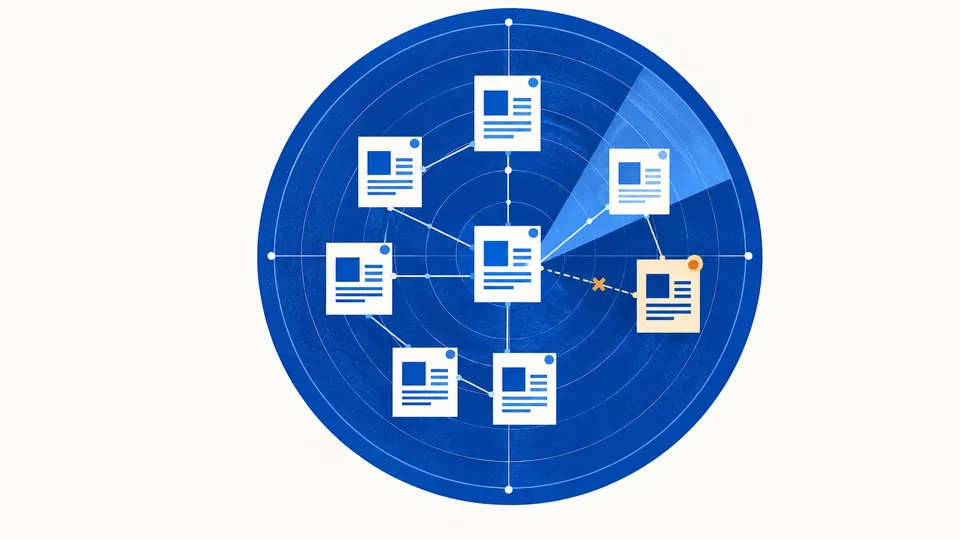
SEO monitoring means checking your website's search health on a regular schedule: indexing, crawlability, technical regressions, search performance, page experience and, more and more, AI search visibility. An audit is a snapshot. Monitoring is the routine that catches a stray noindex, a broken redirect or a traffic drop within days instead of months.
This guide covers what to monitor, which tools do each job, how often to look and how to set alerts that flag real problems rather than noise.
What is SEO monitoring, and how is it different from an audit?
SEO monitoring is the ongoing tracking of signals that show whether search engines can still crawl, index and rank your site. An SEO audit is a deep, one-time review that produces a fix list. Monitoring tells you when something changes. The audit tells you what is wrong and what to fix first.
Most small and mid-size sites need both. A typical cycle looks like this:
- Audit the site to find existing problems and set a baseline.
- Fix the most important issues (see how to prioritize SEO fixes).
- Monitor weekly so new problems don't slip in through releases, plugin updates or content changes.
- Recheck 30–60 days later to confirm which fixes held and what is new.
Rank tracking is only one small part of monitoring. Positions for 20 keywords won't tell you that 300 product pages dropped out of the index after a template change. Index coverage, crawl data and page-level clicks will.
What should you monitor for SEO?
Watch five areas: indexing, technical health, search performance, page experience and AI search visibility. Each one has a primary data source and a sensible check frequency. Start with the free first-party data from Google and Bing, then add a crawler for the technical regressions those reports only show late.
| Area | What to watch | Primary source | How often | Worth an alert when |
|---|---|---|---|---|
| Indexing | Indexed vs not-indexed pages, new "Excluded" reasons | Search Console Page indexing report | Weekly | Indexed count drops sharply or a new reason appears for key templates |
| Technical health | Status codes, redirects, noindex, canonicals, robots.txt, internal links |
Site crawler | Weekly or after every release | A key page returns 4xx/5xx, gets noindex or canonicalizes elsewhere |
| Crawling | Crawl requests, server errors, response time | Search Console Crawl stats | Monthly | Host errors or a spike in response time |
| Search performance | Clicks, impressions, CTR, position by page and query | Search Console Performance report | Weekly | Clicks for a page group fall well below the same period last year |
| Page experience | LCP, INP, CLS from real users | Core Web Vitals report, PageSpeed Insights | Monthly | URL groups move from "Good" to "Needs improvement" |
| Security and spam | Manual actions, security issues | Search Console | Weekly (plus email alerts) | Any new entry |
| AI search | AI feature impressions, Copilot citations, AI crawler access | Search Console Generative AI report, Bing AI Performance, robots.txt | Monthly | Robots.txt or snippet controls change |
The thresholds in the last column are judgment calls, not Google rules. Set them relative to your own baseline, because a 10% weekly swing is normal for a small blog and alarming for a large store.
Which SEO monitoring tools do you actually need?
For most businesses, the core stack is Google Search Console, Bing Webmaster Tools, a site crawler you can run on a schedule and PageSpeed Insights for page experience. All of these are free or have a free tier. Paid suites add convenience, history and alerting, but not data Google won't give you directly.
All details below are as of October 2026, taken from each vendor's own pages:
| Tool | Monitoring job | Free? | Notable limits |
|---|---|---|---|
| Google Search Console | Indexing, performance, Crawl stats, manual actions, Generative AI performance report | Free | Data covers Google only; newest data can be preliminary |
| Bing Webmaster Tools AI Performance | Citations in Copilot and Bing AI summaries, grounding queries, page-level citation activity | Free | Public preview |
| Screaming Frog SEO Spider | Desktop crawler with scheduling and crawl comparison | Free up to 500 URLs; licence $279/year | Runs on your own machine |
| Ahrefs Webmaster Tools | Site Audit (170+ issues), keywords your site ranks for, web analytics | Free for verified sites | 5,000 Site Audit crawl credits per project per month |
| PageSpeed Insights | Field data (CrUX) plus a Lighthouse lab test | Free | Field data needs enough real-user traffic |
A few notes from the documentation:
- Screaming Frog's user guide describes scheduled crawls "as a one-off, or at chosen intervals" under File > Scheduling. That makes it a practical way to re-crawl after every release and compare results with the previous crawl.
- Ahrefs Webmaster Tools requires you to verify ownership of the site, and competitor analysis is limited to paid plans.
- PageSpeed Insights field data covers "the previous 28-day collection period", so a speed fix shipped today takes weeks to show up fully in field metrics.
If you're weighing a paid platform, our comparison of the best automated SEO audit tools covers crawl limits and pricing in more detail.
SEO monitoring best practices
Good monitoring catches real problems early and ignores normal day-to-day movement. The practices below matter more than which tool you choose.
Set a baseline before you watch anything
Write down where you are today: indexed page count, clicks per page group, Core Web Vitals status and the number of crawl errors. Without a baseline, every chart looks either alarming or fine. Search Console keeps 16 months of performance data, and Google's guide to debugging search traffic drops recommends comparing against that longer period to spot patterns such as seasonality.
Compare like with like
Compare this week with the same week last year rather than last week, especially for seasonal businesses. Filter by page group (blog, product, location pages), search type and country. A sitewide line can look stable while one template quietly loses half its clicks.
Monitor templates, not individual URLs
Most technical regressions happen at template level. One theme update can add noindex to every category page, or point every product's canonical to the homepage. Pick two or three sample URLs per template and check them after every deployment:
- HTTP status is 200 (or the intended redirect)
<meta name="robots">and theX-Robots-Tagheader are what you expect- The canonical points to itself (or to the intended URL)
- The main content and internal links are in the HTML, not added only after JavaScript runs
- robots.txt hasn't changed unexpectedly
Treat releases and migrations as monitoring events
Google's traffic drop guide lists technical issues, such as server problems or misplaced noindex tags, and site migrations among the main causes of traffic declines. Run a crawl straight after every significant release, CMS update or URL change, then compare it with the previous crawl. Most serious incidents happen right after a deployment.
Annotate everything
Keep a simple change log: date, what changed and which pages. When clicks fall three weeks later, you'll know whether a redirect change, a content rewrite or a Google update lines up with the drop. The Google Search Status Dashboard shows incidents and ranking updates for crawling, indexing, ranking and serving, so add its entries to your log as well.
Don't use site: searches as an index counter
Google's own documentation on the site: operator warns that it "doesn't necessarily return all the URLs that are indexed". Use the Page indexing report for counts and URL Inspection for individual pages.
How often should you check SEO data?
A weekly 20–30 minute review plus a monthly deep look is enough for most small and mid-size sites. Large or frequently changing sites, such as stores with daily catalog updates, should automate a crawl after each release and rely on alerts between reviews.
A workable rhythm:
- Every release: crawl the changed templates and check robots.txt, status codes,
noindexand canonicals. - Weekly: Search Console Performance (clicks by page group, year over year), new Page indexing reasons, manual actions and security issues.
- Monthly: Crawl stats, Core Web Vitals, internal link and redirect reports, AI search reports, plus a full crawl.
- Every 30–60 days after major fixes: a recheck that compares each previously found issue with its current state.
Don't react to single days. Search Console notes that the newest data can be preliminary and "might change in the next few hours", and rankings move daily for reasons that have nothing to do with your site. Look for changes that persist over at least a week. When you've shipped a fix and want to judge it fairly, follow the waiting periods in how to know if SEO changes are working.
How do you monitor AI search visibility?
Use the first-party reports. Google's Generative AI performance report in Search Console shows how your content performs in Google's generative AI features. Bing's AI Performance report shows citations in Copilot and Bing AI summaries. Then check the technical inputs you control: robots.txt rules for AI crawlers, snippet controls and Organization markup.
Google's AI optimization guide says: "To measure how your content is performing in generative AI features on Google Search and Discover, use the Generative AI performance report in Search Console." The same guide says you don't need special AI text files. Google Search ignores llms.txt, so there's nothing to gain by monitoring one for Google.
On the Bing side, the AI Performance report lists total citations, average cited pages, grounding queries and page-level citation activity. Monthly is usually often enough for both reports.
Also check what your site controls directly, because these settings break silently:
- robots.txt rules for search, user-triggered and training AI crawlers (a CDN or security plugin can add blocks without anyone noticing)
nosnippetormax-snippetdirectives that stop pages from being quoted- key facts (prices, services, opening hours) that only appear after JavaScript runs
For a fuller framework on which AI metrics are worth tracking, see SEO vs GEO performance measurement.
What should you do when monitoring flags a problem?
Confirm the problem is real, find its scope, then fix by impact. Check tracking and data delays first, then whether the change affects one page, one template or the whole site. A sitewide drop that lines up with a release usually points to a technical cause. A gradual decline on a few pages usually points to content or competition.
A practical triage order:
- Rule out measurement problems: a broken analytics tag, a property change or preliminary data.
- Check blockers: robots.txt,
noindex, server errors, redirects and canonicals on the affected pages. - Check external events: the Search Status Dashboard, seasonality (Google's guide suggests Google Trends) and SERP layout changes.
- Check page-level causes: content changes, lost internal links, cannibalization.
For a full diagnosis walkthrough, see website traffic drop: how to find the cause. If monitoring shows something is wrong but not where, a free SEORecheck audit crawls your pages in a real browser and lists indexing, redirect, canonical, Core Web Vitals and AI crawler issues with example URLs. The sample report shows the format, and a recheck comparison shows how each issue is tracked as fixed, improved, unresolved or new. Prices are on the pricing page.
Key takeaways
- SEO monitoring catches changes, and audits explain them. Use both: audit, fix, monitor, recheck.
- Start with free first-party data: Search Console (including the Generative AI performance report), Bing Webmaster Tools and PageSpeed Insights.
- Add a crawler you can run after every release, because most serious regressions come from deployments and template changes.
- Set baselines, compare year over year by page group and ignore single-day swings.
- Keep a change log and check the Google Search Status Dashboard before blaming your own site.
- Don't count indexed pages with
site:searches, and don't monitor llms.txt for Google, since Google Search ignores it.