Guides
Google Search Console vs Google Analytics: Key Differences
Search Console shows how your site performs in Google Search before the click. Google Analytics shows what visitors do on your site after it. You need both, and their numbers won't match.
By SEORecheck Research Team, SEO auditorsPublished 9 min read
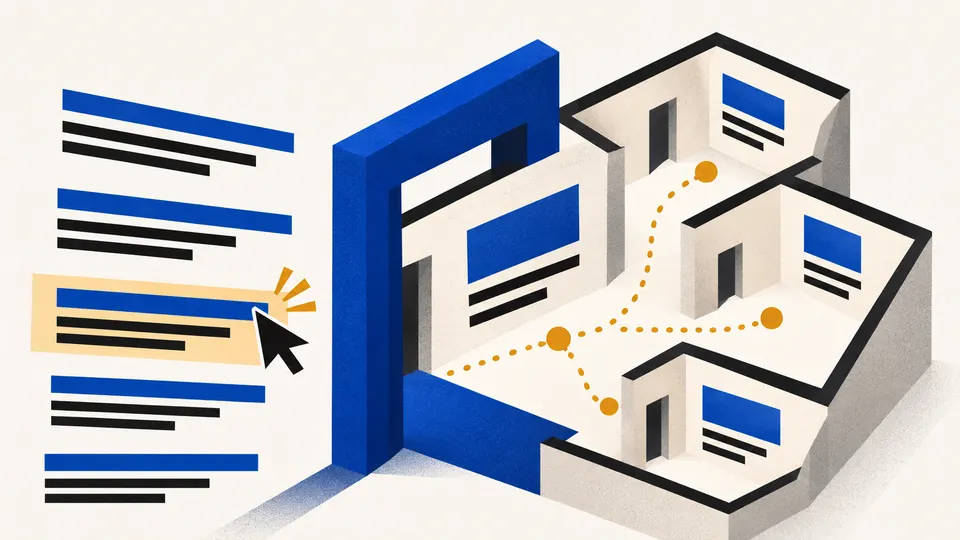
Google Search Console vs Google Analytics comes down to before the click and after it. Search Console reports how your site does in Google Search: impressions, clicks, queries, positions and indexing. Google Analytics (GA4) reports what people do once they reach your site, whatever channel they came from. You need both, and their numbers will never match exactly.
Google says so itself. Its Search Central guide calls Search Console "the source of truth for Search performance" and Google Analytics "the source of truth for behavior inside your site." The rest of this article explains what that split means in practice, why the figures differ, and which tool answers which SEO question.
What is the difference between Google Search Console and Google Analytics?
Search Console collects data inside Google Search: how often your pages appeared, for which queries, and how often people clicked. Google Analytics collects data on your site through a tracking tag: sessions, engagement, events and key events (conversions) from every channel, not only Google.
That one difference in where the data comes from drives everything else:
- Search Console knows about searches that never turned into a visit. It sees impressions, average position and click-through rate. It also reports on crawling, indexing, Core Web Vitals, structured data and manual actions. It knows nothing about what happens after someone lands on a page.
- Google Analytics knows about visits from organic search, paid ads, email, social, referrals and AI assistants. It measures what those visitors did: pages viewed, engagement, purchases, form submissions. It can't see a search that didn't end in a visit, and it gets no query data unless you link Search Console.
Google's guide describes Search Console as providing "data about how your website is performing in Google Search results" and Analytics as providing "data about visitors' interactions with your website."
Search Console vs GA4 at a glance
| Google Search Console | Google Analytics (GA4) | |
|---|---|---|
| Main question | How does my site perform in Google Search? | What do visitors do on my site? |
| Data source | Google Search itself | A tag on your pages (gtag.js / Google Tag Manager) |
| Traffic covered | Google Search only (web, image, video, news; Discover and News in their own reports) | All channels: organic, paid, social, email, referral and more |
| Core metrics | Impressions, clicks, CTR, average position | Sessions, users, engagement, events, key events, revenue |
| Query data | Yes, with rare queries left out for privacy | Only through the Search Console link |
| Technical SEO | Indexing, crawl stats, sitemaps, Core Web Vitals, rich results, manual actions, security | None |
| Needs a tag or consent | No | Yes. Consent choices and ad blockers reduce the data |
| Time zone | Pacific Time for daily data | Your property's time zone |
| Data delay | Usually 2–3 days | Near real time to a few hours |
| History | 16 months | Standard reports keep aggregated history; explorations limited by retention setting |
The Search Console figures come from Google's troubleshooting page on data discrepancies, which says collected data is "usually available in 2–3 days" and that daily data is labeled in Pacific Time. On the GA4 side, the data retention setting (2 or 14 months for user-level data in standard properties) only affects explorations and funnel reports. It "does not affect standard aggregated reports."
Why don't Search Console clicks match Google Analytics sessions?
They count different things in different ways. A Search Console click is a click on a Google result that leads to your site. A GA4 session is a period of activity that its tag records. Google says the two are "calculated differently", so you'll "likely see different numbers" when you compare them.
Google lists these reasons across its two help pages:
- Tracking gaps. Pages without the GA4 tag, or with a broken tag, send no sessions. Search Console still counts the clicks.
- Consent and JavaScript. If a visitor declines analytics cookies, blocks scripts or has JavaScript turned off, the visit may never reach GA4. Google notes that some tools, "such as Google Analytics, track traffic only from users who have enabled JavaScript".
- Privacy filtering in Search Console. The Performance report "omits some queries that are searched a very small number of times," so query-level totals come out lower than page-level totals.
- Processing. Search Console removes duplicates, for example, which shifts its counts.
- Time zones. Search Console days run on Pacific Time. If your GA4 property uses Berlin or Kyiv time, a "day" in each tool covers a different 24 hours.
- Attribution and URLs. GA4 credits a session to a channel using its own attribution rules, and the two tools may report different URL versions of the same page. Google's guide covers attribution and canonical URL handling as further causes.
A gap of 10–30% between clicks and organic sessions is common, with no fixed "correct" ratio. What deserves attention is a sudden change in the gap. If clicks stay flat and organic sessions drop by half overnight, the cause is almost always tracking (a removed tag, a new consent banner, a theme update), not SEO. Our guide to diagnosing a website traffic drop puts this tracking check first for that reason.
Which tool should you use for which SEO question?
Use Search Console for anything that happens inside Google Search: visibility, rankings, queries, indexing and technical health. Use Google Analytics for anything that happens on your site: engagement, conversions, revenue and comparisons between channels. Some questions need both tools side by side.
| Question | Tool | Where to look |
|---|---|---|
| Is Google indexing my new pages? | Search Console | Page indexing report, URL Inspection |
| Which queries show my site, and where does it rank? | Search Console | Performance → Queries |
| Why did clicks fall while rankings held? | Search Console | Performance: compare impressions, CTR and position |
| Are my pages fast enough for real users? | Search Console | Core Web Vitals report |
| Does organic traffic turn into leads or sales? | GA4 | Traffic acquisition, filtered to Organic Search, with key events |
| Which landing pages from Google convert best? | Both (linked) | GA4 → Google organic search traffic report |
| Are visitors coming from ChatGPT or Perplexity? | GA4 | Referral / AI assistant traffic |
| Did my last release break tracking or indexing? | Both | Compare clicks with sessions and check indexing |
Here's an example. A local accounting firm sees in Search Console that its "small business tax filing" page gets 4,000 impressions a month at position 6 but only a 1% CTR. GA4 shows the few visitors it does get convert well. The fix has nothing to do with the page body. It's the snippet: rewrite the title tag and description to win more of those 4,000 impressions. Neither tool would have pointed you there alone.
For conversion setup, attribution settings and reading key events by landing page, see how to measure organic search conversions in GA4.
Should you link Search Console to Google Analytics?
Yes. Linking adds two GA4 reports that put Search Console's query and landing-page data next to GA4's engagement and conversion data. The setup takes a few minutes and costs nothing. It doesn't make the numbers match, though. Each metric still follows its own tool's counting rules.
According to Google's Search Console integration help page, the link gives you:
- Google Organic Search Queries: queries with Search Console metrics.
- Google Organic Search Traffic: landing pages with Search Console metrics and Analytics engagement data side by side.
Know the limits before you build reports on the linked data:
- Search Console metrics only combine with three GA4 dimensions: landing page, device and country. You can't break query data down by campaign, audience or event.
- One web data stream links to one Search Console property, and a GA4 property can have only one stream linked.
- Data appears in GA4 about 48 hours after Search Console collects it, with a maximum of 16 months of history.
- To link, you need the Editor role on the GA4 property and verified owner status in Search Console. Go to Admin → Product links → Search Console links.
The landing-page report (Search Console impressions and clicks next to GA4 engagement and key events) is the part worth using. If you want a dashboard with both sources over longer periods, Google suggests Looker Studio to visualize the data together and troubleshoot discrepancies. Since Search Console keeps only 16 months, export the data regularly if you want year-over-year comparisons. Our guide to tracking SEO improvements over time explains how to set that up.
What about AI search: which tool shows it?
They split it the same way. Search Console covers Google's own surfaces, including AI features in Search. GA4 shows visits that arrive from AI assistants such as ChatGPT, Gemini, Copilot or Perplexity, as long as the referrer is passed along. Neither tool shows answers where your brand was mentioned but nobody clicked.
To set up the GA4 side, see AI referral traffic in Google Analytics. For which metrics to track across classic and AI search, see SEO vs GEO performance measurement.
Common mistakes when using both tools
- Reporting Search Console clicks as "website traffic." Clicks are Google Search visits only. Use GA4 sessions for total traffic and Search Console clicks for Google organic trends.
- Trying to reconcile the numbers to the last click. You can't. Compare trends and ratios, not absolute totals.
- Ignoring consent effects. After a new cookie banner goes live, GA4 organic sessions can drop while Search Console clicks stay flat. Note the launch date in your change log.
- Reading Search Console only for rankings. The Page indexing, Core Web Vitals and Manual actions reports often explain traffic problems sooner than position data. Our guide to Search Console errors covers what each warning means.
- Mixing time zones in reports. Line up date ranges, or compare weeks and months instead of single days.
- Treating untagged pages as "no traffic." Before deciding a page gets no visits, check that the GA4 tag fires on every template, including landing pages, blog posts, checkout and thank-you pages.
How do you check that both tools tell the truth about your site?
Compare them every month. Look at Google organic sessions in GA4 next to Search Console clicks for the same period, as a ratio. Then check that the GA4 tag fires on every page template, and that the pages getting clicks in Search Console are indexable and canonical.
Missing tags, consent changes and indexing drops usually show up first as a growing gap between the two tools. A crawler finds them faster than manual checks. If you want an outside check, a free SEORecheck audit crawls your pages and flags indexing, canonical, rendering and Core Web Vitals issues with example URLs, the problems that often explain why Search Console and GA4 tell different stories. You can see the format in the sample report.
Once fixes are live, measure them the same way each time. Use Search Console for impressions, clicks and position on the affected pages, and GA4 for engagement and key events. Allow a few weeks before drawing conclusions.
Key takeaways
- Search Console = before the click (visibility, queries, rankings, indexing). GA4 = after the click (behavior, conversions, all channels).
- Clicks and sessions are counted differently. A steady gap is normal, and a sudden change in the gap usually means a tracking or consent problem.
- Search Console data lags 2–3 days and uses Pacific Time. Search Console data in GA4 adds about 48 hours more.
- Link the two tools for the landing-page report, but remember Search Console metrics only combine with landing page, device and country.
- Export Search Console data regularly. Its 16-month history is too short for year-over-year analysis.
- Use Search Console to find where to grow (high impressions, low CTR) and GA4 to check that the growth pays (key events by landing page).