Guides
Backlink Audit: How to Handle Toxic Links in 2026
A backlink audit reviews the links pointing to your site and looks for link spam. Google ignores most spammy links on its own, so you only need to disavow if you have a manual action or links you built yourself.
By SEORecheck Research Team, SEO auditorsPublished 9 min read
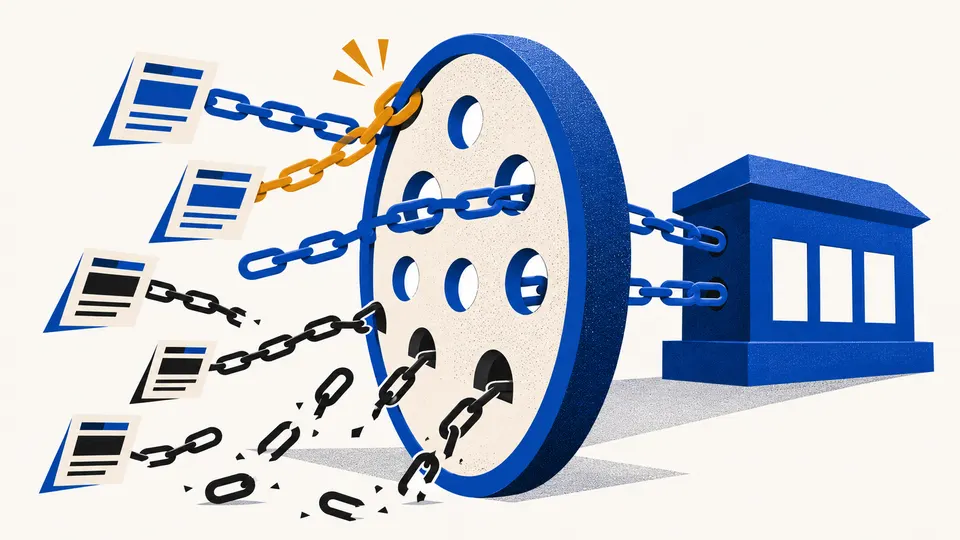
A backlink audit is a review of the links from other websites to yours. It looks at where they come from, what anchor text they use and whether any of them break Google's link spam policies. For most sites, "toxic links" need no action at all, because Google already ignores spammy links. The cases that need work are a manual action and links you bought or built yourself.
That one fact changes how you should run the audit. You're not trying to push a vendor's "toxicity" number down. You want answers to three questions: are links causing a real problem, did you take part in a link scheme, and are any of your good links broken or lost?
What is a backlink audit, and why do one?
A backlink audit lists the external links pointing to your site and sorts them into three groups: natural links, low-value noise and links that look manipulative. You do one to find real risks (paid or schemed links, a manual action), to recover good links that now point to broken pages and to understand your link profile next to your competitors'.
Common reasons to run one:
- Search Console shows an unnatural links manual action.
- You (or a past agency) bought links, swapped links or ran guest posts at scale.
- An SEO tool flagged hundreds of "toxic" domains and you want to know if that matters.
- Rankings dropped and you want to rule links in or out as the cause.
- You moved or redesigned the site and want to make sure old links still land on live pages.
If none of these apply, a light yearly review is enough.
What are toxic links, according to Google?
"Toxic links" is a term from SEO tools, not from Google. Google's spam policies talk about link spam instead: "creating links to or from a site primarily for the purpose of manipulating search rankings." The question to ask about a link isn't whether it looks ugly. It's whether someone placed it to manipulate rankings.
Google lists these examples of link spam:
- Buying or selling links for ranking purposes, including trading goods or services for links
- Excessive link exchanges, or partner pages that exist only for cross-linking
- Using automated programs or services to create links
- Requiring a link in terms of service or a contract without letting the site owner qualify it
- Advertorials or native ads with paid links that pass ranking credit
- Low-quality directory or bookmark links, and forum comments with optimized links in the post or signature
Paid links aren't banned. The same page says buying and selling links is normal for advertising, as long as the links are marked with rel="sponsored" or rel="nofollow". The link attributes guide says to use sponsored for ads and paid placements and ugc for comments and forum posts.
Do toxic backlinks actually hurt rankings?
Usually not. Google says it ignores or neutralizes most spammy links instead of punishing the site they point to. Links hurt you in two cases: a manual action for unnatural links, or a link scheme you built that lost its value. In that second case you lose rankings the fake links were propping up. That isn't a penalty for having bad links.
When Google announced its December 2022 link spam update, it said SpamBrain can "detect both sites buying links, and sites used for the purpose of passing outgoing links." It also explained what happens next: "Ranking may change as spammy links are neutralized and any credit passed by these unnatural links are lost." That's what to expect from algorithmic link spam handling. The credit goes away, and anything built on that credit goes with it.
So random spam from scraper sites, odd foreign directories or auto-generated pages doesn't drag you down. Google's disavow documentation says "in most cases, Google can assess which links to trust without additional guidance, so most sites will not need to use this tool." If you're looking for the cause of a ranking drop, check the more common causes first, using our guide to why pages lose Google rankings.
What about "toxic scores" in SEO tools?
Third-party tools estimate risk from patterns like spammy domain names, link networks, odd anchor text and low tool-specific authority. Each vendor calculates these scores its own way. Google doesn't use them. A high score tells you which links to look at first. It doesn't tell you that something is wrong.
The common mistake is to disavow everything a tool marks red. Google warns that the disavow tool, "if used incorrectly, … can potentially harm your site's performance." Some flagged links are ordinary: small local blogs, forums, directories that sent real visitors, or older sites with thin pages that still link to you naturally.
How to do a backlink audit, step by step
1. Check for a manual action first
Open Security & Manual Actions → Manual actions in Search Console. If you see "Unnatural links to your site," it decides your whole plan (see the section below). If the report is clean, there's no link penalty to fix. Our guide to Google Search Console errors explains the other messages you may find there.
2. Export your links from Search Console
The Links report shows top linking sites, top linked pages and anchor text. You can export up to 100,000 rows, either as "Latest links" or "More sample links." Keep in mind that it's a sample, its tables stop at 1,000 rows and it groups subdomains and http/https under the root domain. Third-party backlink indexes find different links, and comparing them with Search Console helps fill the gaps. Our comparison of SEO competitor analysis tools covers what the main ones measure.
3. Group the links by domain and sort
Work domain by domain, not link by link. Sort by the number of links per domain, the newest links and the anchor text. Google's manual action guidance suggests starting with domains that send many links and with recent links.
4. Classify each domain
| Signal | Usually fine | Look closer | Likely link spam |
|---|---|---|---|
| Origin | Editorial mention, partner, customer, press | Directory, forum profile, scraper copy | Paid post, private blog network, link exchange page |
| Anchor text | Brand name, URL, "here" | Generic keyword phrases | The same exact-match money keyword on many sites |
| Volume | A few links | Sitewide footer or blogroll link | Thousands of links from one network or automated tool |
| Your role | You didn't ask for it | You submitted it once | You paid, swapped or produced it |
| Attributes | Any | Followed paid placement | Paid link without sponsored or nofollow |
The "your role" row matters most. Spam links you never asked for are almost always ignored. Links you paid for or traded for are the ones Google's policy is about.
5. Find good links that point to broken pages
This is where an audit often pays off. In the Links report's Top linked pages, look for URLs that now return 404 or go through redirect chains. Redirect them with a 301 to the closest relevant live page, or bring the page back. Our guides on 404 errors and 301 vs 302 redirects explain which option fits each case.
6. Decide what to do with each domain
- Natural or harmless: keep it and do nothing.
- Links you control (paid posts, swaps, profiles you created): remove them or ask for
rel="sponsored"/nofollow. - Manipulative links you can't remove, with a manual action or a real risk of one: add them to a disavow file.
Should you disavow toxic links?
Disavow only when two things are true: you have "a considerable number of spammy, artificial, or low-quality links" pointing to your site, and those links "have caused a manual action, or likely will cause a manual action." That's Google's own test. Random spam you didn't create doesn't meet it. A past paid-link campaign might.
If you do disavow, follow the documented format:
# Paid guest posts from 2023, removal requests sent, no reply
domain:spammy-network-example.com
https://another-example.net/paid-review-page.html
- A plain
.txtfile in UTF-8 or 7-bit ASCII, one URL ordomain:entry per line - Lines starting with
#are comments and are ignored - At most 100,000 lines and 2 MB, with URLs up to 2,048 characters
- A new upload replaces the previous file, so always edit and re-upload the full list
Google says it "can take a few weeks" to process the list while it recrawls the web. Keep a copy of every version with dates, so you can undo a mistake later.
How do you fix an unnatural links manual action?
Clean up first, then ask for a review. Google's manual actions help page says to download your links from Search Console, contact site owners to remove the links or add rel="nofollow", disavow only what you can't get removed after a good-faith effort, and then click Request Review.
A practical order:
- Export the links and mark every domain you paid for, swapped with or built yourself.
- Ask each site owner to remove the link or add a qualifying attribute, and log the date and reply.
- Disavow the domains that didn't respond or refused.
- Write the reconsideration request: what happened, what you removed, what you disavowed and how you'll prevent it from happening again. Link to your log.
- Wait. Google says reviews take several days to weeks, and link reviews can take longer. Don't send a new request before you get a decision.
Google also warns against disavowing all your backlinks without trying to remove them first. Expect rankings to come back to the level your real links support, not to where the paid links had them. If traffic is down for other reasons too, follow a broader recovery plan for lost organic traffic.
What should you check besides links?
Links rarely explain a traffic drop on their own. Indexing problems, wrong canonicals, slow templates, thin pages and robots.txt blocks are much more common. They're also fully under your control, unlike a stranger's link to your site. If you want to rule those out before blaming backlinks, a free SEORecheck audit shows indexing, technical and content issues with example URLs from your own pages. You can see the format in the sample report.
Keep your outbound links clean too. "Unnatural links from your site" is a separate manual action. It covers paid or exchanged links on your pages that aren't marked sponsored or nofollow.
Key takeaways
- A backlink audit looks for link spam you took part in, a manual action and good links that point to broken pages.
- "Toxic score" is a vendor metric. Google says it can usually tell which links to trust on its own.
- Spammy links you didn't create are generally neutralized, not punished.
- Disavow only with a manual action, or when a manual action is likely because of links you built.
- Try to remove links first, keep a log, then request a review once.
- Redirecting high-value links that hit 404 pages is often the most useful fix the audit finds.