Guides
Multi-Location SEO Strategy: Rank Every Branch
A multi-location SEO strategy gives every real branch its own verified Business Profile and a unique, crawlable location page on one main site, linked from a clear hierarchy and measured per location.
By SEORecheck Research Team, SEO auditorsPublished 10 min read
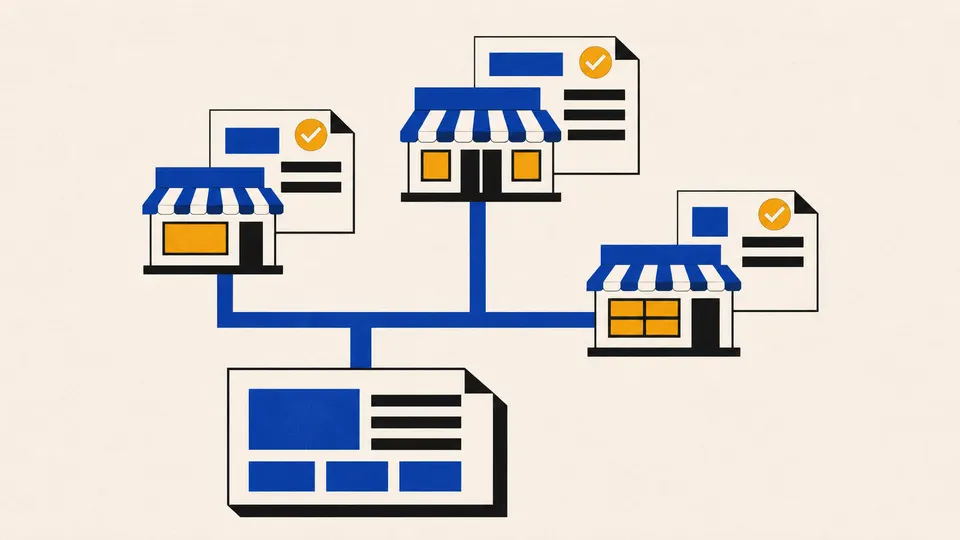
A multi-location SEO strategy is how a business with several branches, stores or offices gets each location found in Google Maps, local organic results and AI answers. The core pattern: one verified Business Profile per real location, one unique and crawlable location page per branch on a single main website, consistent brand facts, and results measured per location rather than for the whole brand.
Most failures come from shortcuts: copied city pages, store locators that crawlers can't follow, or profiles that point everyone to the homepage. This guide covers the structure first, then the details.
Key takeaways
- Create one Business Profile per physical location, with the same brand name and primary category across the chain, and link each profile to its own location page.
- Keep all locations on one domain with a browsable hierarchy (locations hub → region → branch). Separate sites per city usually split authority and add work.
- Each location page needs facts only that branch has: address, hours, phone, staff, services, photos, directions, reviews. Swapping the city name in a template is the doorway pattern Google's spam policy describes.
- Make every location reachable through plain
<a href>links, not only through a JavaScript map or search box. - Track performance per location: Business Profile metrics, Search Console filtered by location URL, and calls or bookings per branch.
What is a multi-location SEO strategy?
A multi-location SEO strategy is the plan a business with two or more physical sites uses to rank each site for searches near it. Local results depend on what Google calls relevance, distance and prominence. Distance is fixed by where each branch is, so a single strong homepage can't rank a store forty kilometres away. Each location has to earn relevance and prominence for itself. In practice that means three layers working together. The Business Profile layer: one verified, complete profile per location. The website layer: a dedicated page per location that proves the branch exists and answers local questions, connected to a clear site structure. The brand layer: consistent name, categories, markup and reviews, so search engines and AI assistants see one organization with many places instead of a tangle of near-duplicates. Single-location advice still applies. What changes is scale, consistency and the risk of thin, repeated pages. For the signals themselves, see local search ranking factors.
One website or a separate site for each location?
For most businesses, use one website with a page per location. A single domain pools links, reviews and brand searches, keeps maintenance in one place and gives every branch the authority of the whole brand. Separate domains make sense only when locations are run as different businesses with different names and audiences.
| Setup | When it fits | Main risk |
|---|---|---|
One domain, /locations/city/branch/ pages |
Chains, franchises with central marketing, clinics, agencies with offices | Templated, near-identical pages |
Subdomains per location (city.brand.com) |
Franchisees who must control their own content | Fragmented links and duplicate templates across subdomains |
| Separate domain per city | Genuinely separate businesses or brands | Splits authority, and city domains that funnel to one page are a named doorway example |
| One page listing every address | Two or three locations with very little local detail | Branches can't rank individually, and profiles have no specific page to link to |
Google's spam policies list "having multiple domain names or pages targeted at specific regions or cities that funnel users to one page" as doorway abuse. If you run several domains today, merging them into location pages on the main site with 301 redirects is usually the cleaner long-term setup. See 301 vs 302 redirects for choosing the redirect type.
How should you set up Google Business Profiles for multiple locations?
Create exactly one profile for each place customers can visit, with the same business name and primary category across the chain. Point each profile's website field at that location's page, not the homepage. If you have ten or more locations of the same business, use bulk verification instead of verifying each one separately.
Google's Business Profile guidelines set the rules that matter most for chains:
- One profile per location. You can't create several profiles for the same location, even in different accounts.
- Same name within a country. All locations of a chain in one country must use the same name. The exceptions are sub-brands used consistently (e.g. "Walmart Supercenter" vs "Walmart Express") and genuine regional storefront names.
- Same primary category. Every location shares the primary category that describes the core business, unless the locations are distinct sub-brands or business types.
- Local phone and website. Use a phone number that reaches the individual location, or a website that represents it. Google prefers local numbers to a central call centre where possible.
- Departments. Departments can have their own profiles only if they operate as distinct entities with their own names and categories.
For verification, bulk verification needs 10 or more locations of the same business. Service-area businesses aren't eligible, and Google may still ask for video verification at a location. For field-by-field setup of each profile, follow our Google Business Profile optimization guide.
How do you build location pages without creating doorway pages?
A location page is safe and useful when most of its content is true only for that branch. Start from a shared template for layout and brand sections, then fill it with local facts: exact address and map, opening hours including holidays, a direct phone number, parking and access, services offered at that branch, the team, real photos and local reviews.
Here's a quick test. Hide the city name and compare two location pages. If a visitor couldn't tell them apart, Google probably can't either, and the pages risk being treated as duplicates or doorways. The problems we see most often:
- City-swap pages. The same 600 words with the town name replaced. Fix: cut the shared copy down and add branch-specific facts.
- Pages for towns where you have no location. These pages can be fine for a service-area business when they describe real coverage, prices, response times or projects in that area. They become doorways when they only funnel visitors to a contact form.
- NAP shown only in an image or a map widget. Put the name, address and phone in HTML text so crawlers and AI systems can read it.
A practical content checklist for each page:
- Unique title and H1 with brand and location, e.g. "Brand Dental – Leeds City Centre".
- Address, phone and hours in text, matching the Business Profile exactly.
- Services, prices or menu differences at this branch.
- Directions from local landmarks, parking and public transport.
- Staff names and roles, plus photos of the real premises.
- Reviews or testimonials from customers of this branch.
- Links to nearby branches and to the region hub.
Pages that can't reach this bar are better merged into a regional page than published thin. Our guide to thin content covers how to decide.
How should the site architecture and store locator work?
Give locations a browsable hierarchy: a locations hub linking to regions or cities, which link to each branch page. Every branch should be reachable in a few clicks through ordinary HTML links, even if users mostly use the interactive map.
A common failure is the JavaScript store locator. Visitors type a postcode and see results, but crawlers find no links to the branch pages, so the pages end up orphaned. Google states that it can only crawl a link if it's an <a> element with an href attribute. Links inserted by JavaScript still work if they use that markup. A hub that renders a plain list works alongside any map:
<nav aria-label="Our locations">
  <h2>Yorkshire</h2>
  <ul>
    <li><a href="/locations/leeds/city-centre/">Leeds City Centre</a></li>
    <li><a href="/locations/leeds/headingley/">Leeds Headingley</a></li>
    <li><a href="/locations/york/">York</a></li>
  </ul>
</nav>
Other checks for this layer:
- Use one clean URL per branch (no
#!or query-only URLs), list it in the XML sitemap, and make it self-canonical. - Don't canonicalize all branch pages to the hub. That tells Google they're duplicates.
- Link the footer or header to the locations hub, and link related services to the branches that offer them.
For the wider structure, see website architecture for SEO.
Which structured data should each location use?
Add LocalBusiness markup (or a more specific subtype such as Dentist or Store) to each location page, describing only that branch. Google's LocalBusiness documentation requires name and address, and recommends properties such as telephone, url, geo, openingHoursSpecification and priceRange.
The documentation covers departments within one location. For those, use the department property and name each one "{store name} {department name}". It doesn't prescribe a specific pattern for chains with many addresses. The approach that follows from it is simple: one LocalBusiness block per location page, with that page's own address, hours and phone, and url set to the location page. Put Organization markup describing the brand as a whole, with sameAs links to official profiles, on the homepage or About page. Markup has to match what's visible on the page and in the Business Profile. Hours that differ between the page, the markup and the profile are one of the most common inconsistencies in chain audits.
How do reviews and citations work across locations?
Reviews belong to the profile of the branch the customer visited. Ask for reviews per location: print or email the link to that branch's profile, not a generic brand link. Reply to reviews from each location's profile, and fix whatever patterns the reviews reveal at that branch.
For citations (directories, maps apps, industry listings, Bing Places, Apple Business Connect), keep one master spreadsheet with the canonical name, address, phone, URL and hours for every branch. Update it first whenever a branch moves, changes hours or closes, then push the change everywhere. When a location closes, mark the Business Profile as permanently closed, and either keep the page with a clear notice and links to nearby branches or redirect it to the closest relevant branch or the region page.
How do multiple locations show up in AI search?
AI assistants answer questions like "best physio near Headingley" or "is the York branch open on Sundays" from what they can retrieve and verify. Each branch needs facts that are crawlable, readable without JavaScript and consistent across your site, profiles and directories. Conflicting hours or addresses are a common reason assistants give outdated answers.
The technical basics carry over: let AI search crawlers reach location pages in robots.txt, keep branch facts in HTML text, and connect the brand to its official profiles with Organization and sameAs markup. For Google's AI features, pages must be indexed and eligible for snippets like any other result. The local-specific steps are in AI search optimization for local businesses.
How do you measure a multi-location SEO strategy?
Measure each location separately. Brand-level totals hide branches that are losing ground. Use Business Profile performance per location (searches, calls, direction requests, website clicks), Search Console filtered to each location URL or region folder, and calls or bookings tagged by branch.
A workable monthly routine:
| What | Where | Red flag |
|---|---|---|
| Profile actions per branch | Business Profile performance | A branch down sharply while others are stable |
| Impressions and clicks per location page | Search Console, page filter /locations/ |
Pages with no impressions after several weeks |
| Indexing of location pages | Search Console page indexing | Branch pages "Crawled – currently not indexed" or "Duplicate" |
| NAP and hours consistency | Master sheet vs profile vs page vs markup | Any mismatch |
| Conversions per branch | Analytics with UTM tags on profile links | Profile clicks arriving with no branch attribution |
Tag each profile's website link with UTM parameters (e.g. ?utm_source=google&utm_medium=organic&utm_campaign=gbp-leeds-city) so profile visits are separated from organic search in analytics. If location pages show up as duplicates or not indexed, start there: no profile work will rank a page Google has dropped. To check this at scale, a free SEORecheck audit crawls your location pages and flags duplicate titles and content, orphaned pages, missing or broken LocalBusiness markup and indexing blockers, with example URLs. You can see the format in the sample report. For the full local checklist, run through the local SEO audit checklist.
Common multi-location SEO mistakes
- Pointing every Business Profile at the homepage instead of the branch page.
- Different brand names or primary categories across branches without a real sub-brand reason.
- Location pages reachable only through a map search, so crawlers never find them.
- Template copy with the city name swapped, plus pages for towns with no real service.
- One shared call-centre number on every page and profile when local numbers exist.
- Closed branches left live with old hours, or deleted without a redirect.
- Reporting only brand totals, so a failing branch goes unnoticed for months.
Fix the structure first: one profile and one real page per branch, crawlable links and consistent facts. Then put your effort into the branches where you have the most to gain.